
5 Best AI Voice Generator Apps for Android That Sound Almost Human
From realistic video narration to reading documents aloud, these five Android apps can turn written text into natural-sounding speech without a microphone.
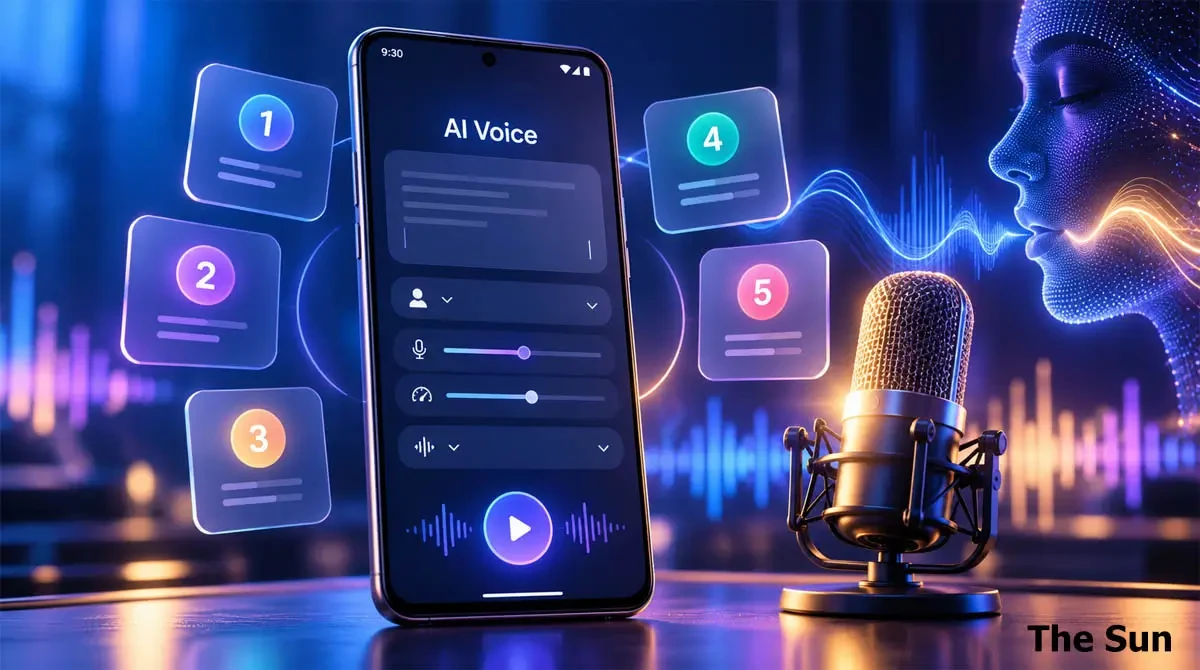
Creating a voiceover no longer requires a microphone, recording studio, or even your own voice. Several Android apps now use artificial intelligence (AI) to convert written text into speech that sounds surprisingly natural.
Some can produce expressive voices for YouTube videos, podcasts, and social media content. Others can read books, articles, and documents aloud while allowing users to adjust the speaking speed.
However, not every AI voice generator serves the same purpose. Some focus on realistic narration, while others combine voice generation with video editing tools.
Here are five AI voice generator apps worth exploring on Android, along with their main features and limitations.
1. ElevenLabs: Best for Realistic AI Voiceovers
ElevenLabs is a strong option for Android users who want realistic voices for videos and other creative projects.
The app uses advanced text-to-speech technology to turn written scripts into spoken audio. Users can choose different voices and adjust how their narration sounds.
One notable feature is its support for expressive AI speech. Its voice models can produce variations in tone, emotion, and speaking style. This can make generated narration sound less mechanical.
Users can write or paste a script, choose a voice, and generate audio directly from their phones. They can also export the recording for use in video editing apps.
Key features:
-
Natural-sounding AI voices with expressive delivery.
-
Support for different languages and voice styles.
-
Voice models with controls for emotion, tone, and pacing.
-
Audio export for videos and other projects.
-
Free monthly credits, with paid options for additional use.
ElevenLabs is particularly useful for content creators who need a separate audio file. It offers a more focused voice generation experience than a general video editor.
However, the quality of the output can vary between voices and languages. Free users also have limits on how much audio they can generate.
Best for: YouTube narration, storytelling, short videos, and professional-style voiceovers.
2. Speechify: Best for Reading Text in Human-Like Voices
Speechify takes a different approach to AI-generated speech. Rather than focusing only on voiceovers, it helps users listen to written content.
The Android app can read documents, PDFs, emails, articles, and other text aloud. It offers natural-sounding voices and lets users change the playback speed.
This makes Speechify useful for people who prefer listening instead of reading long passages on their screens.
For example, a student can listen to study notes while travelling. Someone reviewing a long document can also use the app to hear its contents.
Speechify supports multiple languages and includes features designed for reading and listening.
Key features:
-
AI voices for reading articles, documents, and books.
-
Adjustable playback speed.
-
Support for multiple languages and accents.
-
Text highlighting during playback.
-
Tools for scanning and listening to printed text.
Speechify is more suitable for personal listening and reading assistance than for producing downloadable video narration.
Its mobile reader should not be confused with every feature offered by Speechify's separate voice creation services. Access to particular voices and advanced features may require payment.
Best for: Students, audiobook listeners, professionals, and people who prefer audio content.
Also Read: How to Create Human-Like AI Voice on Android Phone
3. CapCut: Best for AI Voiceovers in Videos
CapCut combines video editing and AI voice generation in one application.
Unlike dedicated voice generators, CapCut allows users to create spoken narration directly inside a video project. This can save time when preparing content for YouTube Shorts, Instagram Reels, or other platforms.
Users can start a project, add written text, and select the text-to-speech feature. CapCut then converts the text into a spoken voice.
The generated narration can be placed alongside video clips, images, background music, and other elements.
CapCut offers multiple voice styles and supports different languages. Voice availability may vary depending on the app version and region.
Key features:
-
Built-in text-to-speech generation.
-
Multiple AI voice styles.
-
Audio and video editing in one app.
-
Tools for adjusting narration alongside video.
-
Video export and sharing options.
Its main advantage is convenience. Users can generate narration and finish editing their videos without switching between several applications.
However, people who only need standalone audio files may prefer a dedicated voice generator. Some advanced tools may also have paid or regional restrictions.
Best for: Short videos, social media creators, video tutorials, and beginners.
4. NaturalReader: Best for Listening to Documents and Books
NaturalReader is another Android app that converts written content into natural-sounding speech.
It supports several document formats, including PDFs, Word files, and text documents. Users can also listen to articles and other supported content.
The app offers a range of AI voices, speaking speeds, and language options. Some voices are designed to produce a more natural rhythm and pronunciation.
NaturalReader can be especially useful for reviewing long reading materials. Users can listen to documents rather than reading every word on a small screen.
The app also offers MP3 conversion under supported plans, allowing users to save audio for personal listening.
Key features:
-
AI-powered text-to-speech voices.
-
Support for PDFs, documents, and other file formats.
-
Adjustable reading speed.
-
Multiple languages and voice options.
-
MP3 conversion with eligible subscriptions.
An important distinction is that the Android reading app is designed for personal use.
NaturalReader offers a separate commercial AI Voice Generator for audio intended for public sharing or professional content. That version can be accessed through a mobile browser, but it is not the same as the personal Android app.
Best for: Listening to books, studying, reviewing documents, and personal audio playback.
5. Canva: Best for AI Narration With Visual Content
Canva is widely used for creating graphics, presentations, and social media videos. It also includes AI voice generation features.
Android users can access Canva's AI voice tools to create narration for supported designs and video projects.
The process is straightforward. Users enter a script, choose a voice, and generate speech. They can then combine the narration with images, video clips, text, and other visual elements.
This approach can be useful for creators who want to produce a complete video rather than an audio recording alone.
Canva provides different voices and language options. It also allows users to preview generated speech before adding it to their projects.
Key features:
-
AI voice generation within the design editor.
-
Natural-sounding voice options.
-
Multiple languages and accents.
-
Integration with video and presentation tools.
-
Free voice generation options, with additional features under paid plans.
Canva's advantage is its combination of audio and visual editing. A user can prepare a presentation, add narration, and export the completed project.
However, voice generation limits apply, and not every voice is available for free. Canva also places limits on the amount of text that can be converted in one request.
Best for: Educational videos, presentations, social media graphics, and narrated visual content.
Which AI Voice Generator Should You Choose?
The right Android app depends on how you plan to use the generated voice.
| AI App | Best Use | Main Advantage |
|---|---|---|
| ElevenLabs | Video voiceovers | Expressive, natural-sounding narration |
| Speechify | Reading and listening | Reads documents and articles aloud |
| CapCut | Video creation | Voice generation inside the video editor |
| NaturalReader | Personal document listening | Supports multiple document formats |
| Canva | Narrated visual content | Combines AI voice with design tools |
If realistic standalone voiceovers are your priority, ElevenLabs is a useful starting point.
For editing videos with generated narration, CapCut provides a more integrated workflow. Canva is another option for users who create presentations and visual content.
Speechify and NaturalReader are better suited to listening to written materials. They provide reading features that are less central to dedicated voiceover tools.
These recommendations reflect their different features and intended uses, rather than a controlled audio-quality test.
How to Make AI-Generated Voices Sound More Natural
Even advanced AI voice generators may struggle with unusual words, long sentences, and difficult names.
The way a script is written can affect the final result.
Short sentences often produce clearer narration. Proper punctuation can also help the system create more natural pauses.
For better results, write a short test script before generating a longer recording. Listen to the pronunciation, speaking speed, and pauses.
If the voice sounds unnatural, try another voice model or adjust the text. Breaking a long paragraph into shorter sections may improve clarity.
It is also useful to test more than one voice. A voice that works well for storytelling may not suit a news report or educational video.
Are AI Voice Generator Apps Free?
All five services offer some form of free access, but their features and restrictions differ.
Free plans may limit voice choices, usage time, text length, or downloadable audio. Certain premium voices and advanced tools require subscriptions.
Users should also check the licensing terms before using generated audio commercially.
A recording permitted for personal listening may not be licensed for advertising, monetized videos, or redistribution.
Those who use voice cloning should only copy voices when they have the necessary permission. Publishing a synthetic voice in a misleading way can also create privacy and trust concerns.
Can AI Voices Replace Human Voiceovers?
AI voice technology can reduce the time needed to produce spoken content. It also makes narration more accessible to people without recording equipment.
However, realistic pronunciation does not always mean natural communication.
Human speakers can adjust their delivery based on context, emotion, and audience expectations. AI-generated voices may still mispronounce names or place pauses in the wrong positions.
For simple narration, tutorials, and routine video content, AI-generated speech can be a practical option. More sensitive or expressive projects may still benefit from human recording and review.
Final Thoughts
Android users now have several ways to create human-like speech directly from written text.
ElevenLabs focuses on realistic voice generation, while CapCut and Canva combine narration with video creation. Speechify and NaturalReader provide useful tools for listening to documents and written content.
There is no single app that fits every purpose. The most useful choice depends on whether you want to create voiceovers, edit videos, or listen to text.

Sumon Das, Senior Reporter at The Sun. He has over 7 years of experience covering Education and Technology News.



Comments (0)